See the relationships.
Understand floor levels, openings, rooflines and adjoining spaces together.
 Consulting
Denver, Colorado & beyond
Architect-led point cloud scanning. One coordinated visit. A shared starting point for the whole design team.
Estimate your scan See what a scan makes possible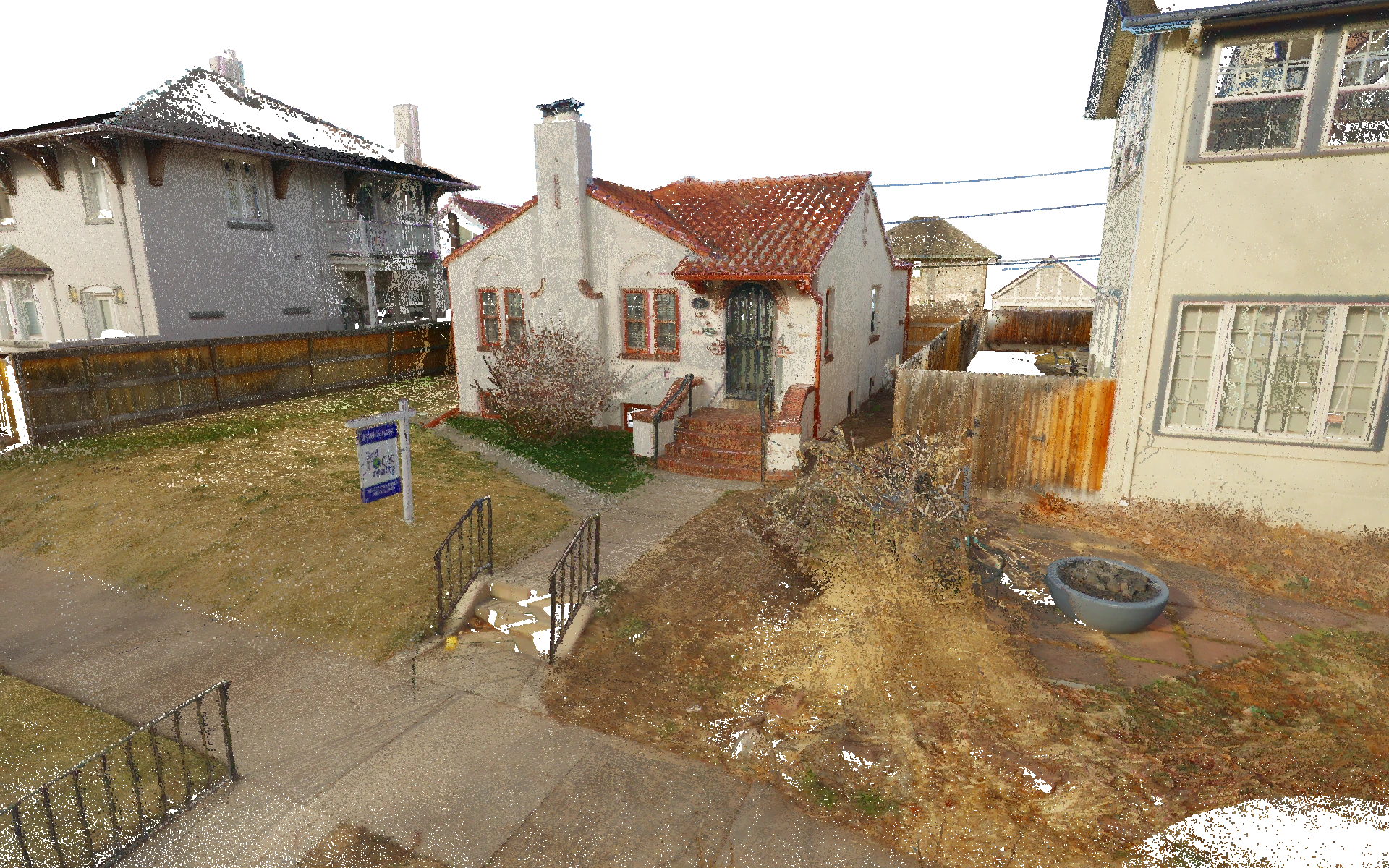
01 / A clearer starting point
A point cloud is a three-dimensional record of the surfaces a scanner can see. Millions of measured points preserve the shape of a building and its surroundings.
Paired with 360° imagery, it lets your team revisit the property, check dimensions and understand how spaces connect—long after the site visit is over.
For a complicated home, a historic property or a tenant improvement, that shared record gives the next design decision a stronger foundation.
See what you receiveUnderstand floor levels, openings, rooflines and adjoining spaces together.
Look back at captured conditions when a new question comes up.
Give the architect and consultants a common reference for coordination.
02 / Built around your team
The questions are different.
The existing conditions are shared.
Architecture
Start additions, renovations and tenant improvements with a coordinated picture of the building. Capture the context around the immediate scope so later decisions have somewhere to start.
Especially useful for complicated single-family homes, condos and adaptive reuse.
Landscape architecture
Understand visible grades, hardscape, trees and adjacent structures in relation to the building. Exterior coverage typically includes visible, accessible lot areas within about 30 feet of the structure. Fences, vegetation and other obstructions can limit coverage, and scan density tapers with distance. We can plan additional coverage where the landscape design needs more context.
A scan documents visible surfaces. Boundary and certified survey work require separate services.
Interior design
Return to a measurable visual record as layouts, lighting and finishes develop. Share questions about ceilings, openings and existing details without relying on disconnected site photos.
Concealed conditions and final fabrication dimensions still need the appropriate field verification.
Building preservation
Document the visible geometry and character of an existing building before work begins. Bring irregular walls, roof forms and facade relationships into a shared record for the preservation team.
Special-detail capture, condition assessment and repeat surveys are defined separately in the scope.
Structural engineering
Review exposed framing, wall alignments and level changes in the context of the whole building. Work alongside the architect from the same measured reference as an addition or renovation takes shape.
Scanning records visible geometry. Concealed conditions, material properties and structural capacity need the engineer’s investigation.
Construction
Review existing conditions with the architect, consultants and trades before work begins. A shared visual record makes it easier to explain a question, plan access and coordinate the next step.
The scan captures a moment in time. Confirm current conditions and final installation dimensions in the field.
Your local scanning partner
We use this information in design work, too. That changes the questions we ask before turning on the scanner.
Archileaf plans capture around the building, the intended deliverables and the people who will use them. Based in Denver, we work across the metro area and mountain communities typically within a few hours’ drive.
Tell us what the whole team needs. We’ll coordinate interior, exterior and site coverage before the visit.
Our local, architect-led team works in Revit every day. We can help you bring the point cloud into your model, coordinate it with your project and make the data part of your existing workflow.
03 / From the field to your desk
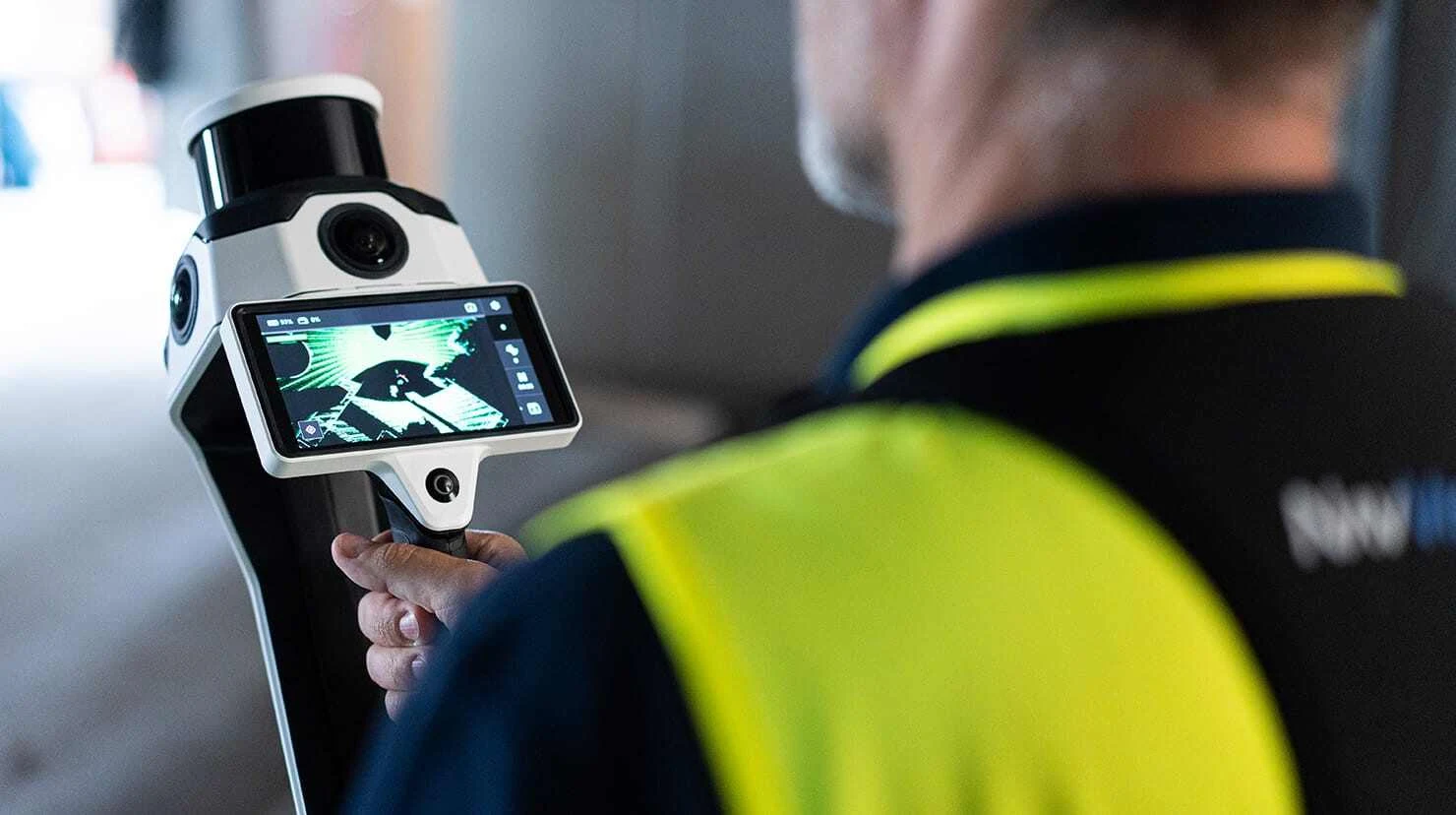
We use the NavVis MLX mobile laser scanner to capture visible building and site geometry alongside panoramic imagery. We plan the route and coverage around the questions your project needs to answer.
¹ NavVis reports 5 mm point cloud accuracy in a dedicated 500 m² test environment. Actual project accuracy depends on site conditions, capture scope and processing.
What you receive
Scanning creates the measured reference. We coordinate the output with your team so the information can move into your workflow.
Explore the captured property in your browser. One year of hosting is included; additional hosting is billed at Archileaf’s cost plus 15%.
Move through captured spaces, review visual context and take measurements from the available data.
Bring the measured reference into your design tools. We confirm the file formats your workflow needs when we define the scope.
Work with a team that scans buildings and uses Revit in practice. We can help you access the data, bring it into Revit and integrate it into your team’s modeling and coordination workflow.
Confirm the property, coverage, deliverables, access and schedule together.
Coordinate with occupants and scan the agreed visible, accessible areas.
Receive your scan delivery and access details. Some 24-hour rush service is available by arrangement.
Local, boutique Revit modeling
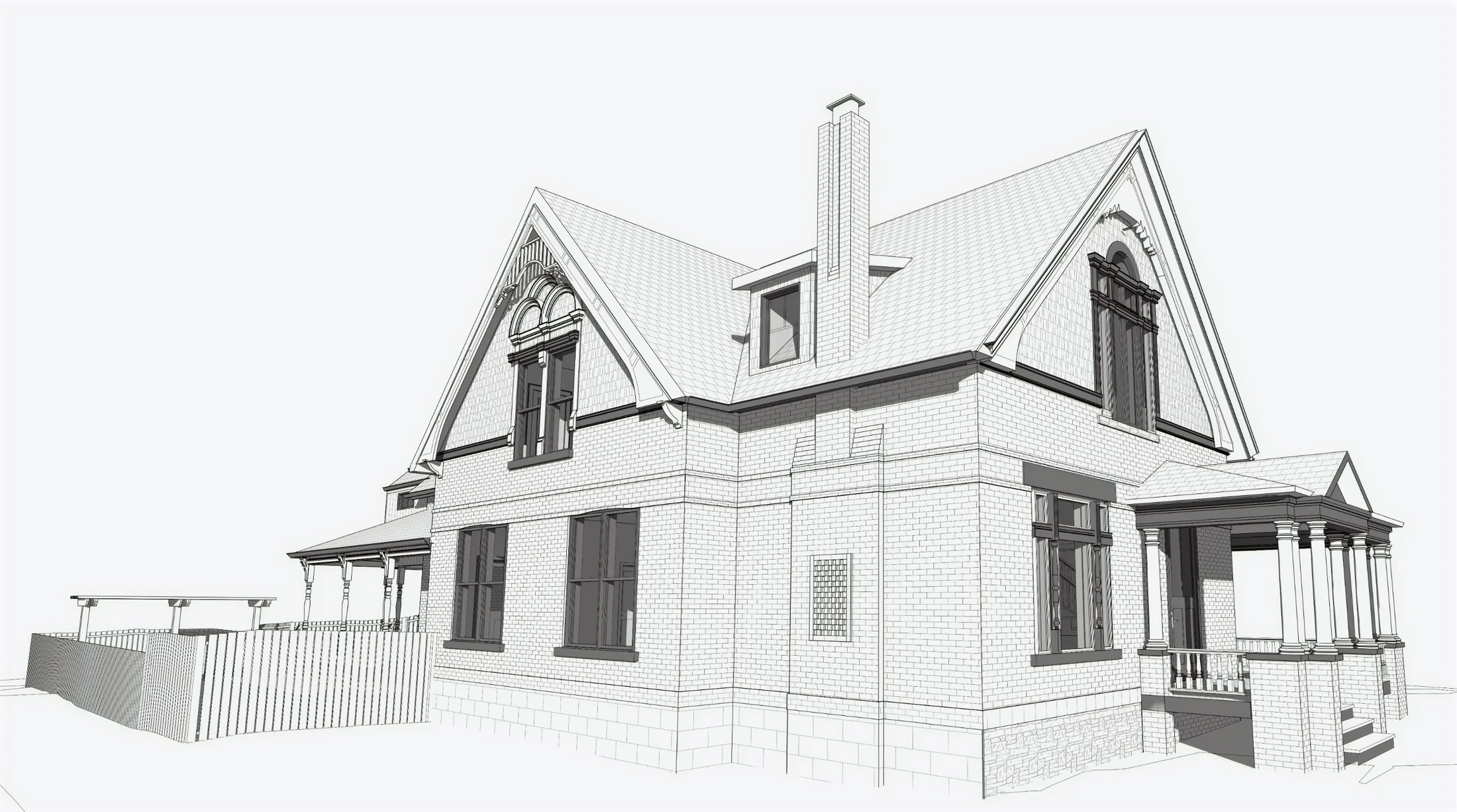
Our Denver-based, architect-led team turns measured conditions into usable Revit as-built models, with architectural judgment in every wall, opening and assembly.
From an existing-conditions model to construction documents and permit packages, we can help carry the production work so your team has more time for design.
Discuss modeling & documentationModeling and documentation are scoped separately from scanning, around your project and level of detail.
We use architectural judgment to identify actual door and window sizes, interpret materials and wall thicknesses, and choose appropriate Revit families. We flag assumptions where construction is concealed.
We keep intended orthogonal walls square where small deviations allow, using agreed modeling tolerances—often around ¼″ for walls. Meaningful irregularities stay in the model, with geometry that remains easy to edit, dimension and document.
For designers and firms with limited production bandwidth, we can help develop construction documents and permit packages from your design direction. We coordinate the scope, standards and handoff with your team.
04 / Plan your scan
Explore the scope and see the fee breakdown. Then send the details so we can confirm the project with you.
No email required to use the calculator.
Let’s plan the visit together. Every project includes setup and one site visit for $360. If changes to your team’s or your client’s access arrangements or requested scope mean we need to return, an additional $360 mobilization applies. We’ll talk through the plan and fee with you before scheduling.
05 / Before we arrive
A little preparation helps us capture more useful information and makes the visit easier for everyone.
Share this checklist with the property owner and anyone who will be on site.
0 of 7 ready
A few practical questions
No. The scan is a measured point-cloud reference with imagery. A Revit model or drawing set is created through a separate modeling and documentation scope. We can provide both.
We coordinate with occupants before and during the visit. Let us know who will be present so we can plan access and reduce movement through the areas being scanned.
Yes. Interior-only and exterior-only building scans receive a 20% reduction in the scanning fee. We usually recommend a full scan because later questions often extend beyond the original area of interest. Small selected areas or unusual scopes can be quoted individually.
Exterior coverage typically includes visible, accessible lot areas within about 30 feet of the structure. Fences, vegetation and other obstructions may limit coverage, and scan density tapers with distance. Landscape-only scans and additional land coverage start at $0.40/SF, decreasing to $0.30, $0.20 and $0.15/SF at the size tiers shown in the calculator. Tell us where the design needs more detail so we can plan the coverage together.
A scan records visible, accessible surfaces. It does not reveal concealed construction, establish property boundaries or replace specialist condition assessments. We’ll discuss access, obstructions and any detail that needs particular attention before the visit.
Deliverables are usually ready in one week. Some 24-hour rush service is available by arrangement. IVION hosting is included for one year; continued hosting is billed at Archileaf’s cost plus 15%.
06 / Let’s define the scope
Tell us about the property and what your team needs to know. We’ll review the scope, access, schedule and estimate with you.
ckruger@archileaf.comDenver metro + nearby mountain communities
Architect-led. Locally connected.
